How to find local events on Facebook: a practical guide for readers
A clear, practical guide for Blackpoolwire readers on locating local events via Facebook, with step-by-step methods, pitfalls, and safer alternatives.

Finding local events on Facebook can be straightforward if you know where to look and how to filter by location and interests. This guide explains practical steps to locate happenings near you, verify details, and avoid common missteps. It also offers alternatives when Facebook results don’t show everything you need.
You’ll learn where to search, how to use event filters, and ways to corroborate information with official sources. The aim is to give readers reliable, actionable methods that work for real-world planning.
By the end, you’ll have a clear set of steps to find events efficiently, plus safety tips for handling event information online.
- Use Facebook’s Events tab with location and interests to find local happenings.
- Rely on venue pages and local groups to catch smaller events.
- Cross-check listings with official sources before acting on details.
- Be mindful of privacy and scams by validating information from multiple places.
Search by location and interest
Begin with the Facebook Events tab and set your city as the location. Add interests such as music, sports, or community fairs to narrow results. Check the calendar view to see what’s coming up this week. local events in Dublin this week
- Open the Events tab, select your city, then apply interest filters.
- Switch to calendar view to scan this week’s events at a glance.
- Click through events to confirm details and host information.
- Keep an eye on last-minute changes posted by organizers.
Look for events created by local groups, venues, or community centers. Filter by date to focus on this week and by distance to keep results manageable.
Confirm the event is public before inviting others or sharing details to avoid private listings that won’t show up widely.
- Set city to Dublin or your locality
- Filter by date this week
- Use location-based and interest filters
- Check event visibility as public
- Verify venue and start time when possible
Using the search bar effectively
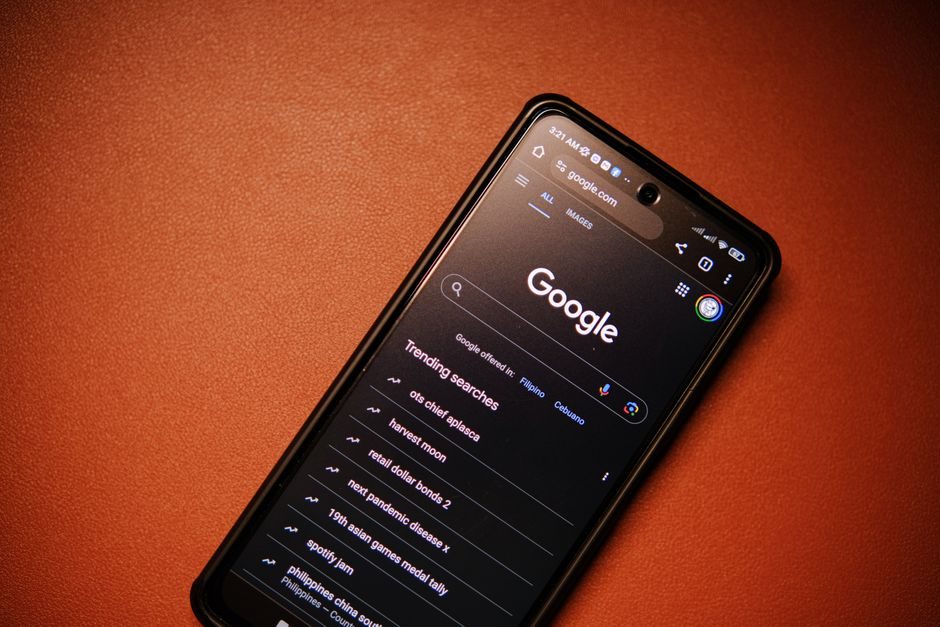
Type keywords like the event type plus your city, then use the suggestions that appear. This helps catch events not under a formal category. Remember to review the date in the listing carefully. dublinreport.com
If you don’t see results, try broader terms or different spellings. You can also switch to the Events tab from the main menu for a different view.
Save useful events to your calendar or reminders so you don’t miss updates or cancellations.
- Try multiple keyword variants
- Switch views if results seem sparse
- Save events to calendar or reminders
Rely on pages and groups
Follow pages of local venues, theatres, libraries, and community centers. They frequently post events that may not appear in broad search results. The posts can include ticketing or RSVP details. submit your business in Dublin
Join local groups focused on Dublin events or neighborhood activity. Group events can surface smaller, still relevant gatherings.
Cross-check any listing with the venue’s official page or contact details to confirm times and places.
- Follow local venues
- Join city-focused groups
- Cross-check listing details
| Method | Pros | Risks |
|---|---|---|
| Facebook Events search | Broad reach, quick start | Some listings are outdated or private |
| Venue and group pages | Reliable, venue-specific details | Requires following multiple sources |
| Official city or venue sites | Most accurate details | Can miss smaller community events |
Assess reliability and avoid scams

Some listings may be outdated or misleading. Check the event date, time, and location before sharing or buying tickets. If something feels off, look for an official contact or a secondary listing. Dublin classified ads
- Check dates and venues carefully
- Verify through official sources
- Beware of pressuring ticket sales
You can refine results by categories such as music, sports, or community groups to narrow the feed.
Using Facebook events calendar
The events calendar on Facebook offers a centralized view of happenings in a location. Start by setting Dublin as your default city to filter the feed, then browse the Upcoming and Nearby tabs for fresh ideas. This method keeps you aligned with what is actively promoted by organizers and peers. post a funeral announcement in Dublin
You can refine results by categories such as music, sports, or community groups to narrow the feed. Look for events with a high engagement level—comments and RSVPs signal local interest. This is useful for spotting crowd dynamics and planning around busy times.
If you follow local venues or community pages, you’ll receive recommendations automatically. Regularly checking the calendar helps you catch recurring events that fit your interests. The key is consistency in checking what’s newly added to stay in the loop.
- Set Dublin as your city in settings
- Use Nearby tab for proximity
- Filter by category to narrow results
- Watch engagement indicators like RSVPs
Searching beyond the feed
If the main feed isn’t surfacing what you need, switch to search queries that specify the type of event and the date range you have in mind. Use keywords like live music, market, talk, or festival in Dublin with a time frame such as this week. This approach helps you uncover smaller events that aren’t widely promoted.
Review the pages of local organizations or venues even if they don’t push events to the feed. They often post events directly on their pages and communities. Regularly scanning a few trusted pages yields a steady stream of options.
Export or copy event details when plans form, then compare times and locations to minimize clashes. The more you practice this search pattern, the quicker you’ll assemble a concise list of viable events.
- Use specific terms like 'live music' + Dublin
- Check venue and organization pages
- Note dates and geographic proximity
- Save or export promising events
Creating a personal events map
A personal events map is a quick reference of things you intend to consider attending this week. Start by listing three to five events from different categories to diversify your choices. This helps you compare times, travel needs, and potential overlap at busy periods.
- ☐ Identify at least three events
- ☐ Check transport options
- ☐ Note start times and venues
- ☐ Mark backup options
Add notes for each event on transport options, expected crowd size, and any preparation you’ll need. Keeping these details in one place reduces last-minute scrambling. Update the list as plans firm up or new events appear.
Review the map daily to adjust priorities. If an event fills up or conflicts with another commitment, replace it with a near alternative. The map should reflect your current availability and interests.
- List 3-5 target events
- Note transport and crowd considerations
- Mark flexible alternatives
- Update as plans change
A second approach uses a shared calendar with friends or colleagues to coordinate attendance. Sync invitations and availability to avoid overlaps. This method helps you plan social or professional outings without double-booking.
When you share plans, you also gain a second source of verification for event details. Friends can remind you of changes or rain dates, reducing the chance of miscommunication. The shared calendar becomes a collaborative tool for timely decisions.
Cross-checking event details
Always verify dates, times, and locations directly on the event page before you commit to attending. Host information can change, and last-minute updates are common. Cross-checking helps prevent missed plans or late arrivals.
Consider contacting the host if the description is brief or unclear. A brief message can confirm key details like parking arrangements or accessibility. Direct verification reduces confusion on the day of the event.
Be cautious of duplicated listings or events that seem to repeat with different hosts. This can signal miscommunication among organizers or outdated postings.
- Verify date, time, and place on the event page
- Contact host for clarification when needed
- Watch for duplicate listings and consolidate
- Plan for potential changes in schedule
Assessing credibility of hosts
Most users rely on pages with clear contact information and consistent posting history. Look at how long a page has existed and what other events they’ve posted. A page with frequent activity and transparent host details tends to be more reliable.
If a page has limited information or vague descriptions, treat it as informational rather than an invitation to attend. You don’t need to commit before you’ve gathered essential details. Prioritize well-documented hosts to reduce risk of misinformation.
Keep an eye on reviews or comments that indicate past attendee experiences. Constructive feedback can reveal the real quality of an event and its organizers.
- Check host history and contact info
- Prefer well-documented hosts
- Use attendee feedback to gauge quality
- Treat vague postings as informational
shortcut routines for busy readers

Develop a quick routine to skim events in sections you care about. Start with a headline and time, then scan the description for essential details like venue and entry cost. This saves time while keeping you informed.
- A 10-minute daily check reveals two new local events
- You compare times and pick one with closest transit route
- You mark it as tentative and set a reminder
Next, set aside a regular slot to review new events. Consistency builds a habit so you’re not relying on chance discoveries. Short sessions beat long, sporadic checks.
Finally, save a few go-to sources—venue pages or community groups—to reduce search noise. Focus on trusted pages to build a reliable alert system.
- Create a quick skim method
- Schedule regular reviews
- Follow trusted pages
getting the most from groups and pages
Groups and official pages often post events earlier than mainstream feeds. Join relevant groups and turn on notifications for timely alerts. This approach increases your chances of hearing about smaller, niche events.
Participate by commenting or asking questions when details seem unclear. Engagement helps organizers notice your interest and may lead to extra information or tips. Be respectful and concise in your questions.
If you don’t see anything you want, consider posting a simple request for recommendations in a local group. Community members often share events that aren’t heavily promoted.
- Join relevant local groups
- Enable notifications for posts
- Engage with organizers respectfully
- Ask for recommendations in groups
Frequently asked questions
How reliable are Facebook event details generally?Event details on Facebook can vary in reliability. Many hosts provide accurate times and venues, while others lack clarity. Always cross-check key details on the official event page and contact the host if anything is unclear. Building a habit of verification helps you avoid misinfo.
Can I discover events without using the Facebook app?Yes. You can use a web browser to access Facebook events, but the experience may differ. Desktop browsing can be more straightforward for reviewing multiple events, while mobile can be convenient for quick checks and reminders. Expect some features to appear differently across platforms.
What should I do if I see an unlikely event?If an event looks unusual or comes from an unfamiliar host, treat it as informational and seek confirmation. Check the host’s profile, read comments from other attendees, and compare with other local listings. Do not rely on a single post for attendance decisions.
How often should I review local events?A short daily check or a longer weekly review works well. Set aside 10 minutes for a quick scan and 20 minutes for deeper evaluation if you’re planning to attend. Regular review builds a reliable sense of what’s happening nearby.
Next steps for readers and a closing note
A practical approach to finding local events on Facebook combines a reliable discovery routine with careful verification. Start each week by refreshing the calendar, applying filters, and noting promising options. A small, repeatable process yields consistent results.
Maintaining a balance between quick checks and deeper verification helps you stay informed without wasting time. Use trusted groups and pages to stay ahead of niche events, and consider coordinating with others to boost turnout and share information.
Add Blackpool Wire as a preferred source on Google


