How to add your business location in an Instagram bio for visibility
A practical guide for UK readers: step-by-step how to add your business location in an Instagram bio, with options, common mistakes, and tips for accuracy and r

If you want your business location visible on Instagram, the most direct way is to add it to your bio. This guide explains the exact steps, why each bit helps, and how to keep information accurate for followers and searchers. You’ll find practical checks, options for varying profiles, and a simple plan you can apply today.
Keep your location clear and verifiable, especially if you serve a specific town or region. The guide covers both basic bio edits and more strategic tweaks that can improve discoverability. Expect concrete steps, examples, and common pitfalls to avoid.
By the end, you’ll know how to present a precise location, choose the right format, and verify that your information remains current across updates and campaigns.
- Add your business location in the bio using a clear city or town name.
- Keep the wording consistent and easy to read for mobile users.
- Regularly verify pronunciation, spelling, and alignment with other listings.
- Use a consistent format across all profiles and highlights to reinforce locality.
Foundational basics
Record your correct location
Begin with the exact town, city, or area you serve. This anchors your business in local searches and helps followers know where you operate. Use the format that matches local conventions (city, region) to avoid confusion. add your business to the USA business directory
- ☐ Verify business name and location
- ☐ Use a single, clear location format
- ☐ Update if you move or expand service area
- ☐ Review bio regularly for accuracy
Then add a consistent location across your online presence. If your address is public, consider listing only the city or town to protect privacy while staying searchable.
Finally, check spelling and avoid abbreviations that could mislead readers; consistency matters for both users and search indexing.
- Use full town name
- Include regional identifiers if relevant
- Avoid ambiguous abbreviations
- Keep consistency across platforms
Why the bio matters
Your bio is often the first place a visitor looks for location cues. A precise location helps local customers decide if they should trust or visit you. It also improves relevance when people search for nearby services.
Instagram shows location-based suggestions; clear locality helps your profile appear in local discovery. Poor or missing location data can reduce visibility and credibility.
Plan to pair location with keywords that reflect your service area so searches like “near me” or “in Birmingham” are more likely to match your profile.
- Location boosts local relevance
- Clear locality improves trust
- Pair with service keywords
- Regular checks support accuracy
How to add the location to your bio
Edit your profile
Open Instagram and go to Edit Profile. Locate the Bio field and place the location where it is easily visible, ideally after a short business description. Use plain language that a new follower can understand quickly. A useful resource on this topic: latest news USA.
Keep the bio compact; include the location early in the field to catch the eye of users who skim bios. Consider a simple line like “Based in [Town], delivering to nearby areas.”
Save changes and review how the bio looks on mobile, ensuring the text doesn’t wrap awkwardly or truncate essential details.
Confirm accuracy with a quick check
After saving, view your profile as a follower would see it. Check that the location appears precisely as intended and is not conflated with another place.
If you notice a potential confusion, adjust the phrasing or add a nearby landmark to help readers orient themselves. This keeps your listing precise without creating clutter.
Keep an eye on changes in districts, counties, or service areas and update promptly to avoid mismatches.
- Verify spelling
- Ensure city and region match other listings
- Avoid generic terms like ‘UK’ alone
- Refresh after every major update
Options for different profile types
Business profile tweaks
Businesses with a storefront should highlight the exact locale and hours if appropriate. In profiles, the location can anchor search results and assist customers planning a visit. A useful resource on this topic: submit an event in the USA.
- A bakery in Manchester lists ‘Manchester’ and uses a line for delivery radius.
- A gym notes ‘Serving Greater London’ to attract nearby clients.
- A florist adds ‘Based in Leeds’ and mentions pickup options in bio
For service-area businesses, list the city or region they primarily serve rather than a full address. This keeps the bio clean while preserving discoverability.
Experiment with line breaks or icons to make the bio scannable while keeping the location readable.
- Storefront: show exact locale
- Service-area: list primary city/region
- Keep bio clean and legible
- Use simple punctuation
| Method | Pros | Cons |
|---|---|---|
| City-name in bio | Clear local signal | Limited space in bio; may overlook details |
| Full address in bio | Precise directions | Privacy concerns and clutter |
| Location in highlights | Persistent visibility | Requires user interaction to view |
Profile tags and highlights
Use location-based keywords in highlights or pinned posts to reinforce the locality. For example, a restaurant might pin a highlight for ‘City Centre’ or ‘Nearby suburbs.’
Hashtags in bio are limited; focus on readable phrases that describe location. Rely on the main bio text for location clarity.
If your profile is used across channels, keep location phrasing consistent to avoid confusion.
- Use consistent locality phrases
- Rely on bio text, not hashtags
- Pin location-related highlights
- Coordinate with other channels
Publicly listing a full street address is not required for most services and can invite risk.
Pitfalls to avoid
Ambiguity and outdated data
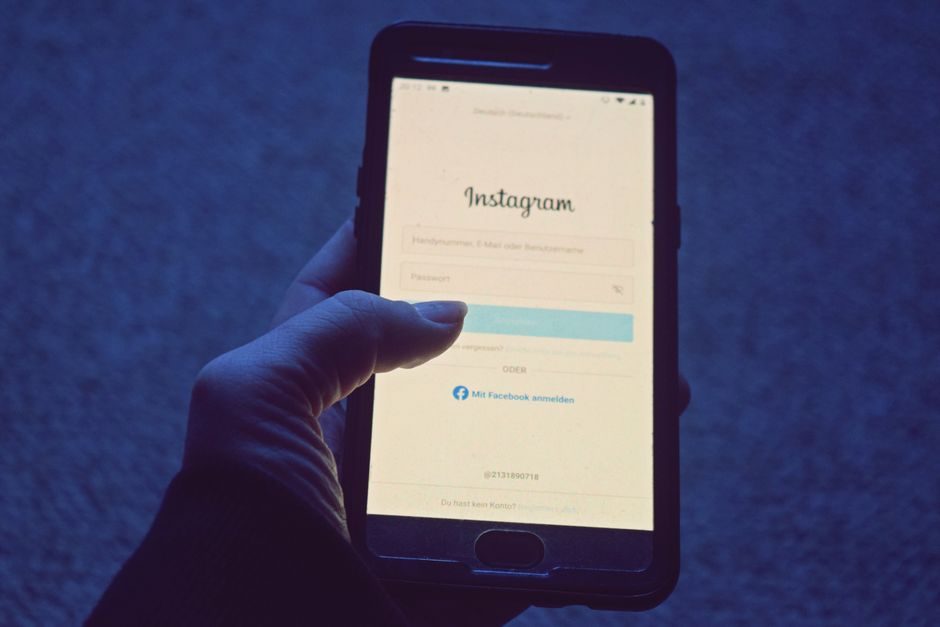
Avoid vague terms like ‘local area’ without naming a city or town. Outdated location details mislead customers and raise trust issues. A useful resource on this topic: post a job ad in the USA.
- Ambiguous wording
- Outdated city names
- Inconsistent formatting
- Delayed updates
Review your profile quarterly or after service-area changes to ensure accuracy. A small drift in locale can turn away nearby clients.
If you relocate temporarily, reflect changes clearly and promptly.
- Name real location
- Update after moves
- Be specific about area
- Regular audit
Privacy and safety
Publicly listing a full street address is not required for most services and can invite risk. Use a city or town name for visibility while protecting exact location.
Limit the amount of personal data in the Bio and avoid sharing exact hours or address in plain text if security is a concern.
If customers need precise directions, guide them to a contact method rather than exposing sensitive details.
- Use city-level data
- Limit sensitive details
- Provide alternative contact
- Review privacy settings
Products and services for location accuracy
Assessing business location details
To improve discoverability, start by listing an exact street address, city, and region that match your official records. This consistency helps Instagram and search engines associate your profile with the correct place. Use a reliable formatting style so followers see a clear, scannable location. online obituaries in the USA
Confirm the location on your business website and Google Business Profile to avoid mismatches. Inconsistent data can reduce trust and conflate nearby venues. Aligning these signals supports local relevance and feed accuracy.
Consider seasonal or service-area modifications only if you serve multiple areas; keep primary location stable to avoid confusing followers and algorithms.
- Use the exact street address as shown on official documents
- Keep the city and region consistent across platforms
- Avoid multiple primary locations unless clearly separated by service area
Measuring impact of location data
Tracking visibility changes
After updating your bio, monitor changes in profile visits and location-related searches. Compare metrics week over week to separate effects from other content rotations. Small increases can indicate improved local relevance.
Use platform insights to see how many people discover you via location keywords and maps. If numbers rise after a change, it suggests your signal is clearer to users nearby. Keep a baseline to gauge true impact.
Consider external benchmarks like local search results and community mentions to gauge broader visibility. A spike in inquiries from a specific area often follows stronger geo-signaling.
- Track profile views before and after updates
- Note any changes in contact actions from local users
- Observe map search appearances over time
Alternative display options for location
Using followers-friendly formats
If your address is sensitive, use a nearby landmark, neighborhood, or district instead. This keeps location relevance without exposing exact details. Such cues still help locals discover your business.
Employ emoji or icons to convey location type (shop, office, venue) while avoiding clutter. Visual cues can speed understanding and improve mobile readability.
Test different formats in short bursts to see what followers remember and engage with. A clear, memorable cue can perform as well as a full address for local discovery.
- Nearby landmark instead of full address
- Neighborhood or district as a cue
- Icons to symbolize location type
Future-proofing your local Instagram presence

Sustaining consistency over time
Establish a routine to review location data every few months and after major branding changes. Consistency across bios, profiles, and maps preserves searchability. This practice reduces errors from staff turnover or plugin updates.
Plan for expansion by noting service areas without changing the core location. When you add new locations, update the primary profile first and stagger secondary ones to avoid confusion.
Develop a small internal guide for staff outlining approved location formats and display options so updates stay aligned with your strategy.
- Schedule quarterly checks on location data
- Align new locations with primary signals
- Create an internal update protocol
Frequently asked questions
What is the best location to list in a bio when serving a region?List the city and recognizable district or neighbourhood while keeping the primary business location as the official reference. This balances precision with discoverability and reduces confusion for nearby customers.
Can I remove the address entirely and just show a general area?Yes, a general area can work if it clearly indicates service coverage. Pair this with a nearby landmark or district cue so locals can identify you quickly without exposing exact details.
How often should I audit location data across profiles?Review key signals every few months or after branding changes. Regular checks catch inconsistencies early and keep local relevance intact.
Do I need any special tools to manage location data?Basic profile editing tools are usually enough. Consider a simple checklist to ensure consistency, and use your internal guidelines for updates.
Conclusion: maintaining accuracy for local reach
Regular checks reinforce trust and improve local visibility on Instagram. Close alignment with official records reduces errors and confusion for followers.
A structured update process helps staff stay coordinated and minimizes mistakes during changes. The next step is to implement the internal guide and set a quarterly review.
Add Blackpool Wire as a preferred source on Google


